Securing Your Digital Wealth: A Free Guide to NFT and Crypto Wallets
In the traditional financial world, if you lose your bank card, you call the bank and get a new one. In the world of Web3, digital assets, and meme trading cards, you are your own bank. This shift brings incredible freedom, but it also carries a heavy burden of responsibility. Whether you are holding a rare NFT or a stack of blue-chip crypto, the security of your digital wealth begins and ends with your wallet management.
Understanding the Crypto Wallet Concept
One of the most common misconceptions for newcomers is that a crypto wallet "stores" your coins or NFTs. In reality, the assets live on the blockchain—a public ledger. Your wallet actually stores the private keys that give you permission to move those assets.
Think of the blockchain as a high-security vault with glass walls. Everyone can see what is inside, but only the person with the specific physical key can open the door to move the items. If you lose that key, the items stay in the vault forever, and no one—not even the vault manufacturer—can get them out for you.
Hot vs. Cold Storage: Choosing Your Strategy
There are two primary ways to manage your digital assets, and most successful investors use a combination of both.
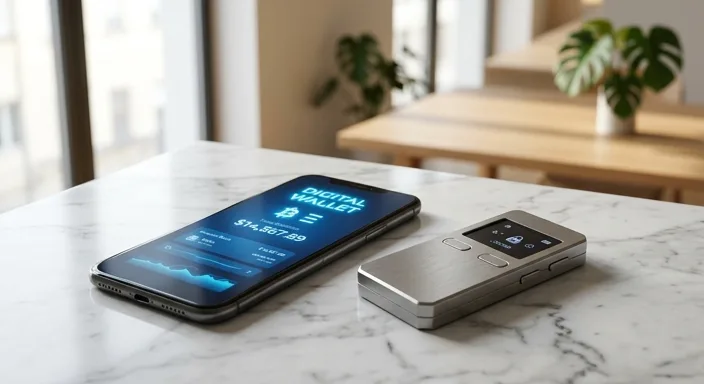
- Hot Wallets: These are software-based wallets connected to the internet. Examples include MetaMask, Phantom, or Coinbase Wallet (the non-custodial version). They are perfect for daily trading, minting NFTs, and interacting with Decentralized Finance (DeFi) apps. However, because they are on your browser or phone, they are susceptible to malware and hacking.
- Cold Wallets (Hardware Wallets): These are physical devices, like those made by Ledger or Trezor, that keep your private keys offline. Transactions must be physically confirmed on the device. Even if your computer is infected with a virus, the hacker cannot sign a transaction without pressing a physical button on your hardware device.
The Golden Rule: Seed Phrases and Private Keys
When you set up a new wallet, you will be given a "Seed Phrase" (or Recovery Phrase), usually 12 to 24 random words. This phrase is the master key to your entire wallet. If your computer breaks, you can enter these words into a new device to recover your funds.
Crucial Rule: Never, under any circumstances, type your seed phrase into a website, save it in a Google Doc, or take a photo of it. If a digital version of those words exists, a hacker can find it. Write it on paper (or engrave it in metal) and store it in a physical safe.
Security Best Practices for NFT Collectors
NFT collecting often involves interacting with many different websites and "signing" transactions. This increases your risk profile. To stay safe, follow these steps:
- Use a "Burner" Wallet: Keep your most valuable assets in a hardware wallet that rarely interacts with new sites. Use a separate, small "burner" wallet with only a little bit of crypto for minting new projects.
- Revoke Permissions: When you use an NFT marketplace, you give it permission to "spend" your tokens. Use tools like Revoke.cash regularly to clean up old permissions you no longer use.
- Verify Every Link: Hackers create "spoof" sites that look identical to OpenSea or Magic Eden. Always double-check URLs and never click links from Discord DMs.
How to Set Up Your First Secure Wallet
If you're ready to take custody of your digital wealth, follow this basic workflow for maximum security:
- Step 1: Purchase a hardware wallet directly from the official manufacturer (never buy one from Amazon or eBay, as they could be tampered with).
- Step 2: Install a reputable browser extension like MetaMask.
- Step 3: Connect your hardware wallet to MetaMask. MetaMask will act as the interface, but the hardware device will still hold the keys.
- Step 4: Secure your seed phrase offline immediately.
- Step 5: Send a small "test transaction" of a few dollars to ensure everything is working before moving your entire portfolio.
Common Scams and How to Avoid Them
The most common scams are social engineering attacks. You might receive an email saying your wallet has been compromised, or a "support agent" on Discord might offer to help you. They will always eventually ask for your seed phrase or ask you to "synchronize" your wallet on a specific site.
Real support staff will never ask for your seed phrase. If someone is pressuring you to act quickly because of a "security breach" or a "limited time giveaway," it is almost certainly a scam. Slow down, breathe, and verify through official channels.
Frequently Asked Questions
What happens if I lose my hardware wallet?
As long as you have your seed phrase, you haven't lost your money. You can simply buy a new device and "restore" it using your words.
Can I use the same wallet for different blockchains?
Many wallets (like MetaMask) support multiple "EVM" chains like Ethereum, Polygon, and Arbitrum. However, some chains like Solana or Bitcoin require specific wallets like Phantom or Xverse.
Is FaceID on mobile wallets safe?
FaceID and TouchID add a layer of convenience and local security (preventing someone who steals your phone from opening the app), but they do not replace the need for a seed phrase backup.